XInfer Web App — AI Shopping Assistant
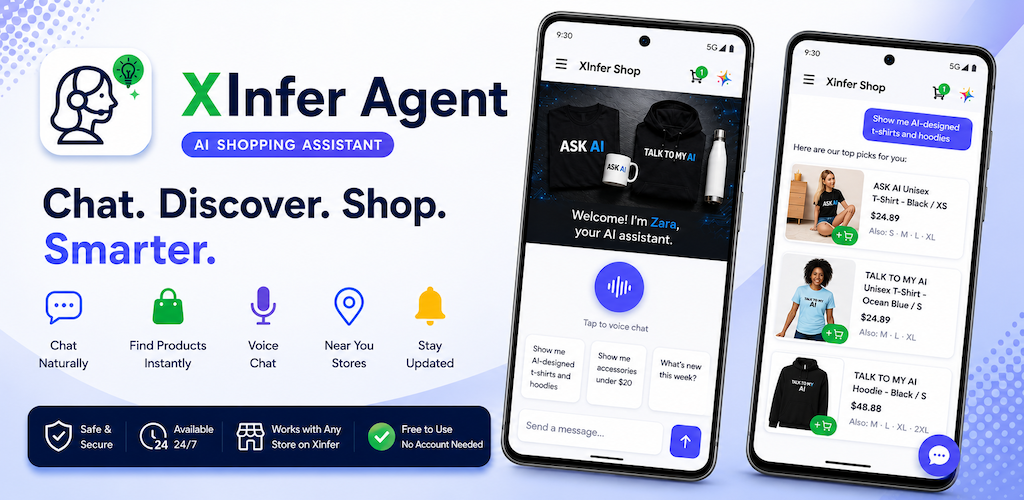
Your AI-powered shopping assistant in the browser. Chat naturally to discover products, get recommendations, browse catalogs, place orders, and track deliveries — no app install required.
Free to use. No account required to start chatting.
AI Chat Assistant
Ask questions, get product recommendations, and complete purchases through natural conversation. Prefer to talk? Use voice chat instead of typing. Your chat history is saved so you can pick up where you left off. The assistant knows your store's catalog and can help you find exactly what you need.
Product Browsing
Browse the full product catalog with search and category filtering. View detailed product pages with images, descriptions, pricing, and availability. Add items to your cart directly from product pages or through the chat.
Shopping Cart & Checkout
Review your cart, adjust quantities, and check out — all within the browser. See itemized pricing and order totals before you buy.
Order Tracking
View your complete order history with status updates. Track orders from placement through processing, shipping, and delivery. See full order details including line items, pricing, and shipping information.
Multi-Location Support
Shopping from a business with multiple locations? Select your preferred location during sign-in to see the right catalog and pricing for your area.
Secure Authentication
Sign in with your email and password. All communication is encrypted over HTTPS.
Key Features
- AI-powered chat with voice support for product discovery and shopping
- Full product catalog with search and categories
- Shopping cart with checkout
- Order history and tracking
- Multi-location support
- Secure email and password authentication
- Works in any modern browser on desktop and mobile
Get Started
Visit xinfer.ai to learn more.